If you want to make music but do not know how to play an instrument, you are not alone. Many people have tunes in their head but no way to get them out. This is where new computer tools help you. These tools use a smart computer brain to make beats, chords, and full songs.
In this guide, I will show you the best AI tools for music creation. I will also tell you which ones work on Android phones, which ones work on iPhones (iOS), and which ones are completely free. You do not need any music school training to use these.
What to Look for in a Music Making Tool?
Before we start, let me tell you the three things that matter most.
- First, the tool should be easy to open and use. If you have to watch three long videos just to make a simple beat, that tool is not good.
- Second, the sound quality must be clear. A bad sound is like a cracked glass. You cannot fix it later.
- Third, you should own your music. Some tools will not let you download your song unless you pay. Others will put a watermark on your audio. Always check this first.
Read More: Top 10 Music Streaming Apps Beginners 2026 Guide
Best AI Tools for Music Creation (Overall)
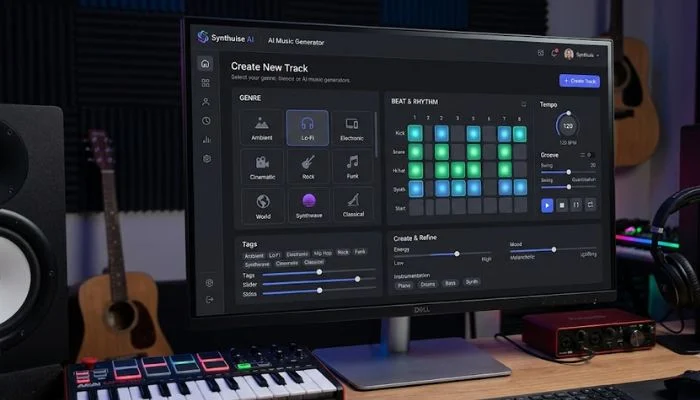
These tools work on most computers and phones. They are the top picks for anyone starting out.
1. Soundful
Soundful is very simple. You pick a style like hip hop, house, or lo-fi. Then you click one button. The computer makes a full beat for you. You can change the speed and the key if you want. The free version lets you make many songs, but you cannot sell them. The paid plan costs ten dollars a month and gives you full ownership. This is my top pick for beginners because there is no learning time.
2. Beatoven
Beatoven is different. You tell the tool what mood you want. Happy, sad, tense, or calm. Then you draw a line on a graph to show how the music should feel over time. For example, the start can be calm, the middle can get tense, and the end can be happy. The computer writes music that follows your line. This is great for people making videos or podcasts. You can try it for free for seven days.
3. AIVA
AIVA stands for Artificial Intelligence Virtual Artist. It is the oldest tool on this list. AIVA makes classical music, movie music, and game music. You can write down a few notes on a digital music sheet, and AIVA will finish the song for you. It feels like you are working with a real helper. The free plan gives you three downloads per month. The paid plan is fifteen dollars a month. Many teachers use AIVA to show students how music works.
4. Boomy
Boomy lets you make a song in less than thirty seconds. You pick a style, click create, and Boomy gives you a song. You can say "I like this part" or "I do not like that part" and the computer learns what you want. People have used Boomy to make thousands of songs and put them on Spotify. Some of those songs make money. The free plan is good, but you have to give Boomy a share of your earnings. The paid plan removes that.
5. Loudly
Loudly has a large library of sounds. You can search for words like "sad piano" or "fast drum" and the tool finds the right loop for you. You can also let the AI make a full song from a text description. For example, you write "slow guitar with rain sounds" and Loudly makes it. This works on any phone or computer with a web browser. The free plan has ads. The paid plan is eight dollars a month.
Best AI Tools for Music Creation on Android
Android phones are great for music because you can connect many different headphones and speakers. These tools work well on Android.
1. SongR
SongR is built for phones. You type a few words about your feelings. For example, "morning coffee and a sad goodbye." SongR writes lyrics and makes a song with a human sounding voice. The music is simple, but the words are surprisingly good. You can save the song as a video to share on Instagram or TikTok. The free version puts a short tag at the end. The paid version is five dollars one time.
2. Melody Studio
Melody Studio works without the internet. Most music tools need wifi. This one does not. You can be on a plane or in a basement and still make beats. You tap on a grid to place drum sounds. Then you tell the AI to add a bass line. The app is a bit older looking, but it works well. It costs three dollars one time. No monthly fees. This is perfect for Android users who want to own the app forever.
3. Music Hero
Music Hero is for people who want to learn as they create. When the AI makes a beat, the app shows you which notes were used. Over time, you start to see patterns. You learn what sounds good together. The app has a practice mode where you tap along to the beat. It feels like a game. The free version has ten beats. The full version is seven dollars. This is the best educational music tool on Android.
Best AI Tools for Music Creation on iOS (iPhone)
iPhone users have very clean sound output. These tools take full advantage of that.
1. Endlesss
Endlesss is not like other tools. You join a room with other people. Everyone adds a sound loop. The AI helps keep everyone in the same key and speed. So you cannot sound bad. You can play alone or with friends far away. The app is free to join rooms. To start your own room, you pay two dollars a month. Many professional musicians use Endlesss to find new ideas.
2. Moises
Moises removes voices from songs. But it also creates new music. You take any song from your phone. Moises separates the drums, bass, voice, and guitar. Then you can remove the voice and sing over the track. Or you can remove the drums and let the AI make new drums. This tool is used by singers and cover bands. The free version lets you upload five songs per month. The paid version is four dollars a month.
3. Riffusion
Riffusion is strange and fun. You type a sound like "thunder with a broken piano" and Riffusion makes a short audio clip. It is not for making full songs. It is for making weird sounds that you can put into your songs. Think of it like a sound camera. You point it at a feeling and it gives you a recording. The app is free. No account needed. This is my favorite tool for finding unexpected sounds.
You May Also Read: AI Music Tools Musicians Are Using in America Right Now
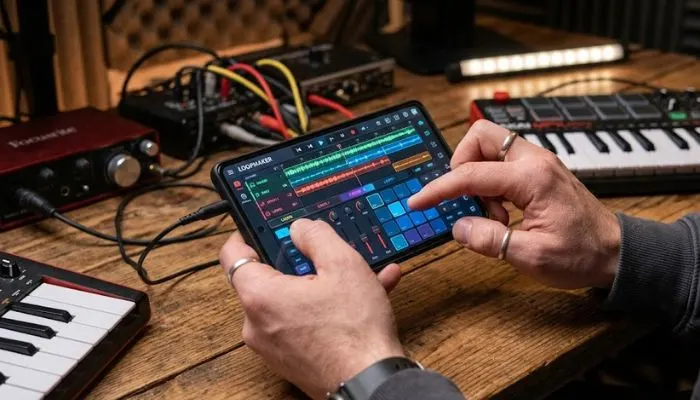
Best Free AI Music Generators
Not everyone wants to pay. I understand. Here are the best tools that cost nothing.
1. Soundraw (Free Tier)
Soundraw lets you make songs for free, but you cannot download them. You can only listen on the website. But here is a trick. You can record your computer screen while the song plays. Then you take that video and turn it into an audio file. The sound quality stays high. Soundraw has a very good selection of pop and rock styles. If you are just testing ideas, this is perfect.
2. U sound
U sound is a free browser tool. You pick an instrument like piano or guitar. You pick a mood. The AI makes a five minute song. You can download it as an MP3 with no watermark. The only limit is you can make three songs per day. For most people, three songs a day is enough. I use U sound when I need background music for a short video. It never fails.
3. Chrome Music Lab
This is made by Google. It is not a full music maker. But it has a tool called Song Maker that lets you draw a melody with your mouse. The AI plays the melody back with different instruments. It is very simple. A five year old can use it. But sometimes simple is best. You cannot make a three minute song here. But you can make short loops. It is 100% free with no account. No limits. No tracking.
How to Pick the Right Tool for You?
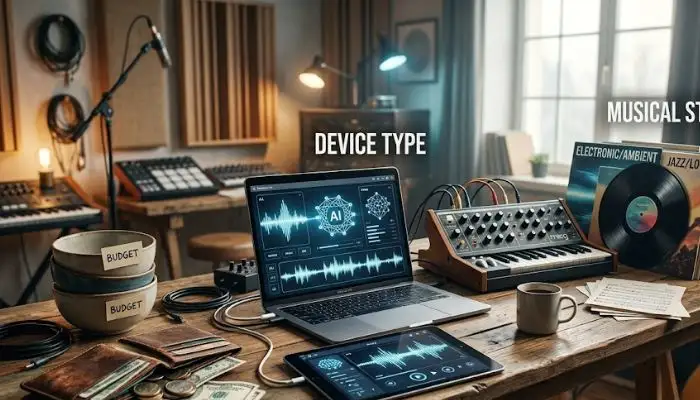
Sit down for ten minutes and ask yourself three questions.
First question: What do I want to make?
If you want full songs with words, pick Soundful or Boomy. If you want background music for videos, pick Beatoven. If you want weird sounds, pick Riffusion.
Second question: What device do I hold in my hand?
If you have an Android, start with Melody Studio. If you have an iPhone, start with Endlesss. If you have a computer, start with AIVA.
Third question: How much money do I want to spend?
If you have zero dollars, start with U sound or Chrome Music Lab. If you have five dollars, buy SongR for Android or Moises for iPhone. If you have ten dollars a month, get Soundful.
Do not overthink this. Pick one tool. Use it for one hour. If you like it, keep going. If you do not like it, pick another one.
Final Words
You do not need to be a musician to make music anymore. You just need a phone or a computer and one of these tools. Start with a free one. Make your first song today. It will not be perfect. But it will be yours. And the more you use these tools, the better your songs will sound.
The best AI tool for music creation is the one you actually open and use. So open one right now. Make something. Share it with a friend. That friend will be surprised. And you will feel proud.
FAQs
Can I sell the music I make with these tools?
It depends on the tool. Soundful paid plan, yes. Boomy free plan, no (they take a share). U sound free plan, yes. Always read the rules page before you sell anything.
Do I need headphones?
You do not need expensive headphones. But you should use some kind of headphones. Phone speakers are too small. You will miss the low sounds. Even ten dollar earbuds are better than phone speakers.
Can these tools make a song that sounds like my favorite singer?
No. Not exactly. They can make the same style. But they will not copy the voice. That is not allowed. Many tools block famous names on purpose.
Is it okay to use AI music for YouTube videos?
Yes, for most of these tools. But you should check each tool's rules. Some want you to say "music by..." in the video description. Others do not care. When in doubt, give credit.
What if the song sounds bad?
Then you click the button again. That is the beauty of AI. You can make one hundred songs and keep only the best one. No one gets tired. No one gets upset.